Lack of execution
We have a plan. Nobody has the hands to execute it.
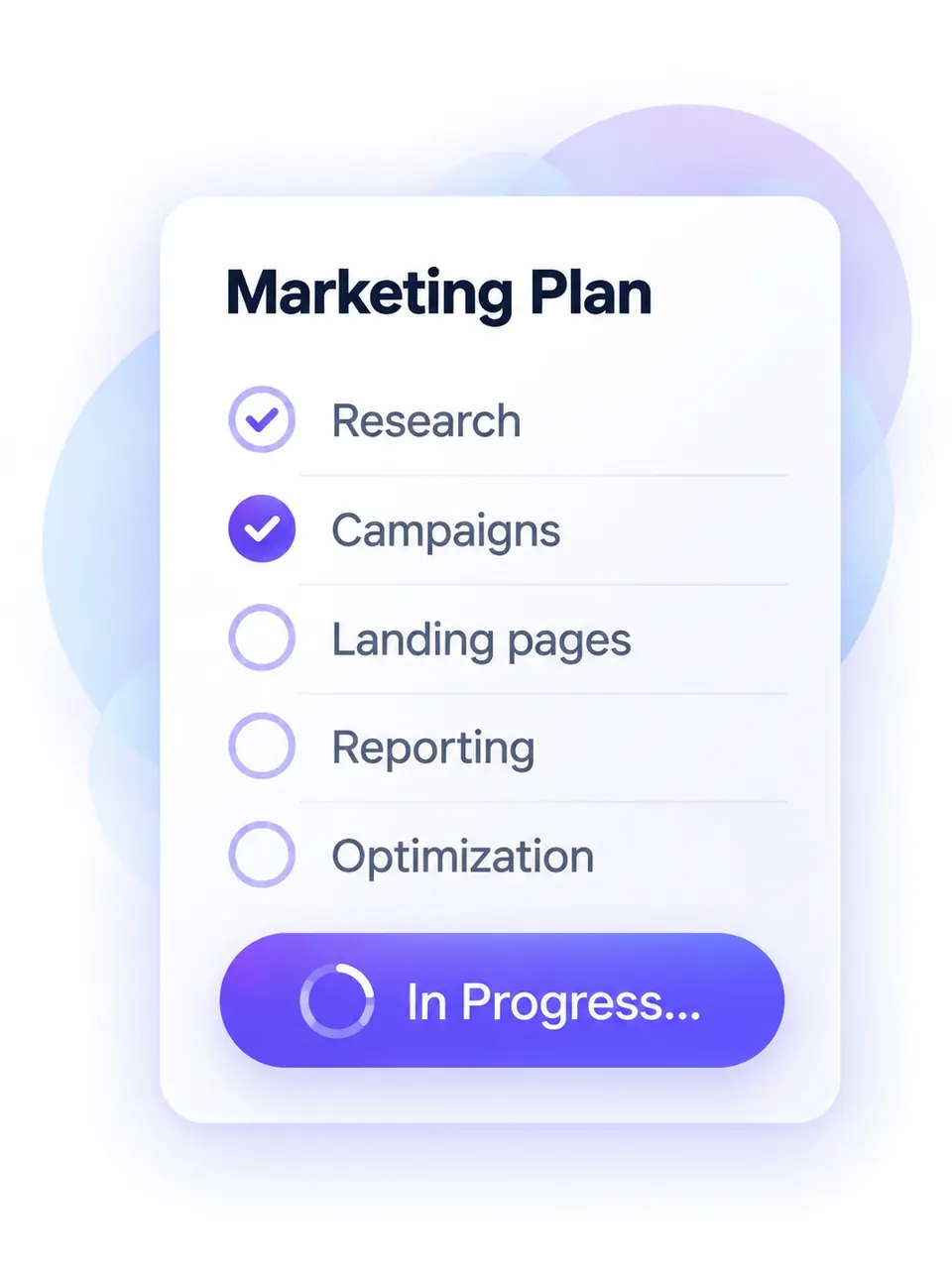
- Research and strategy
- Campaigns and landing pages
- Runs on autopilot
For B2B teams with more marketing than people
Teamulate is a complete AI marketing department: 11 specialist agents under one strategy, working from one dashboard, with a human approving the decisions that matter.
Teamulate is building and marketing Teamulate with the same AI-operated system it offers to clients.
Start with your problem
Pick the one that hurts most, and see how the department takes it on.
Lack of execution
Inconsistent content
Too many tools
High cost, low visibility
Who is in control
Two layers sit above the execution seats. Neither is optional, and neither is an agent pretending to be a person.
Layer 1
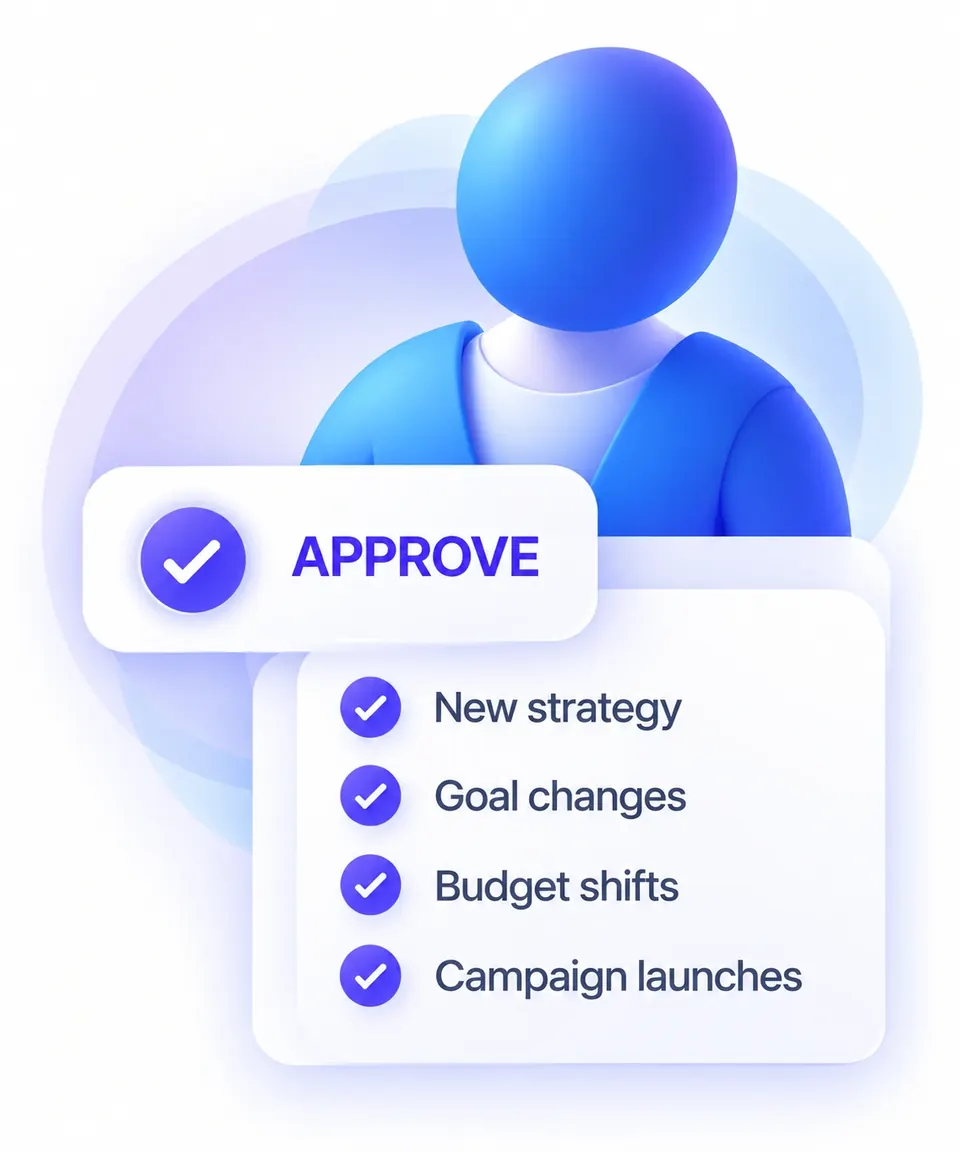
Always waits for a human
Layer 2

Checked before release
Signature workflow
Routine, reversible work runs inside approved thresholds. Strategy, spend, sensitive claims and anything irreversible wait for the client yes.
Owner, timeframe, KPI
Head of Marketing
8 execution specialists
Independent assurance
Human approval (P3-P4)
What your tools recorded
11 agents + a named human decision owner
One goal, end to end: Strategos prepares the plan and reports to Chris, the agents draft the work, Guardian and Metric check it independently, the client says yes where it matters, and the dashboard shows what your tools recorded.
The human above the agents

Chris Momchilov
Founder
12 years in B2B marketing - VistaVu, MioCommerce, Cosmetic World, SaaS and ecommerce. Strategos prepares the strategy; Chris approves it and monitors execution, with his sign-off on the decisions that matter.
A Human (Chris)
Researches and configures your setup
AI Agents
Routines and campaigns execution
Outcome for AI Visibility
The new marketing medium
We are our own first customer.
So you can judge the work before you buy it.
One-man success has never been more accessible. I'm here to help you grow.
What the department runs
Eleven agents are organized into three outcome systems, so you buy capacity against a problem - not a roster to manage.
The problem: Not enough qualified conversations.
 Scout
Scout GrowthTrack
 Flow
Flow Socialite
Produces
What you see
Campaigns, spend against policy, leads and pipeline as your CRM records them.
The problem: Nobody finds you - in Google or in AI answers.
 Wordsmith
 Seeker
 Pixel
PixelProduces
What you see
What published, what ranks and what AI answers cite - from your search tools, not estimates.
The problem: You can't tell what marketing did, or trust the numbers.
 Strategos
 Nexus
Nexus Metricassurance
 Guardianassurance
Produces
What you see
Goals, approvals waiting, QA results and measured outcomes in one place.
Behind the three systems: 1 head + 8 execution specialists + 2 independent assurance agents - 11 agents in total. Meet the full team →
Build log
Teamulate is building and marketing Teamulate with the same operating system it will deploy for clients. This log lists what is live on teamulate.ca, with a link to each item. It is evidence of the operating system working on our own marketing - not a customer result.
Blog article images now load in modern AVIF and WebP formats sized for each screen, cutting image weight per article from about 0.6 to 1.7 MB down to about 25 to 50 KB.
We checked 12 marketing tools against 5 everyday processes to show where handoffs between tools appear, with a free downloadable report.
Three worked budget scenarios for a small B2B team with the same 96 hours of marketing time a month, showing where the cash goes first and why ads wait.
We traced 120 IT and security firms through 80 AI search answers. Most appeared as cited sources, fewer were named, and none were recommended.
This section now has a cleaner timeline and a Command Center changelog that shows how the dashboard we run Teamulate from evolves, update by update.
The free Command Center page and download now require every decision card to stand alone: project, what it is about, the problem, concrete options, recommendation and what happens next.
100 public Marketing Manager postings (50 Canada, 50 US): the median role required 3 of 8 marketing functions, with management in every post and analytics required in 77%, plus an explainer video.
Six new rules for decision cards: no repeat cards, verified before we say they are there, and every linked file must open.
The Pricing page has a new design: all three plans side by side at the top, then what every plan includes, what the setup fee covers, which plan fits and the pricing FAQ.
Our free tools, pricing questions and blog list now carry clear machine-readable structure, llms.txt lists every published article, and two article dates now match when they went live.
The Command Center download is now version 1.3: the assistant asks before connecting each platform, uses only access you already granted, and shows a proposed structure before it builds.
New free download: an instruction file that your Grok Bot agent uses to build a personal Command Center around your projects and priorities, with an explainer video.
Same 24-hour budget: AI-enabled weeks fit 18/18 task units versus 10 to 11 human-only, with coverage across all six marketing functions and an explainer video.
A test of how much of the same three marketing workflows a chatbot, fixed automation, a single AI agent and a specialist process actually complete, with an explainer video.
Lighter images, browser caching and better text contrast, so the homepage loads faster on phones.
The Blog page has a new design: the latest article up front and filters for AI Operations, Cost & ROI, Workflows and AI Search to find research by topic.
The Security & Governance page has a new design: the P0-P4 approval tiers in one clear table, all eight controls as cards, and how incidents and offboarding work.
The How it works page has a new design: the eight-stage operating model as a loop you can click through, and a five-step walkthrough of one sample workflow.
The homepage has a new design: a clearer hero, the system at a glance, what your team creates with asset filters, simple pricing and this build log.
The team page now shows all 11 agents as an org chart, with each agent's role, outputs and what it may do on its own versus with your approval.
A test of what a structured human review step changes in AI-first marketing drafts, with an explainer video.
Builds an llms.txt file from your own company summary and key page links, to copy or download.
Turns a monthly revenue target, deal size and conversion rates into the leads, conversations and meetings needed each month.
Estimates the monthly labour cost of AI content, including review and rework, from your own numbers.
Compares the annual cost of an AI marketing department, an agency, fractional help and an in-house team from your own quotes and salaries.
Scores recurring marketing tasks with five yes or no questions and sorts them into Automate First, Draft + Approval, Assist Only and Human Led.
Shows what fits in your weekly marketing hours, what goes to backlog and which functions go uncovered.
One page for our free marketing tools: full results on the page, no email, with the method and a worked example.
A test of how much time goes into reviewing and fixing AI-first B2B drafts, with an explainer video.
A 30-run test of how complete inputs change first-pass acceptance of AI drafts, with an explainer video.
What four controlled studies say about AI and time saved on knowledge work, with an explainer video.
A modeled monthly budget for a small B2B marketing department in Canada and the U.S., with an explainer video added Sep 21.
A review of 20 studies and cases on where faster task work does and does not turn into business value, with an explainer video.
A 30-task automation readiness study for lean B2B marketing teams, with an explainer video.
The blog gained featured images, a wider two-column card layout and matching cards for every post.
The team page shows how the 11 seats are organised, who reports to whom and what each one prepares.
A vertical page for MSPs and cybersecurity providers: seat map, approval boundaries and fit criteria.
Founder page: 12 years in B2B marketing and the systems behind Teamulate. The header gained an About menu.
The AI marketing team and autonomous marketing department guides now open with a direct answer, an 11-seat table and an FAQ.
Sitemap fix, Organization JSON-LD with disambiguation, and six social profiles in the footer.
Sources cited in Google AI Overviews for ordinary marketing questions on 1 September 2026.
The August 2026 cost report and its article, with the modeled 90% people-cost comparison.
The demo walkthrough runs on the same Marketing Dashboard chrome as the client app, with sample data labelled as such.
Homepage, how it works, team, pricing, security & governance, and the six guides - from the autonomous marketing department to the 2026 cost research.
A fixed set of buyer questions is asked across AI answer engines and each answer is logged for whether Teamulate is mentioned or cited; the first baseline ran today.
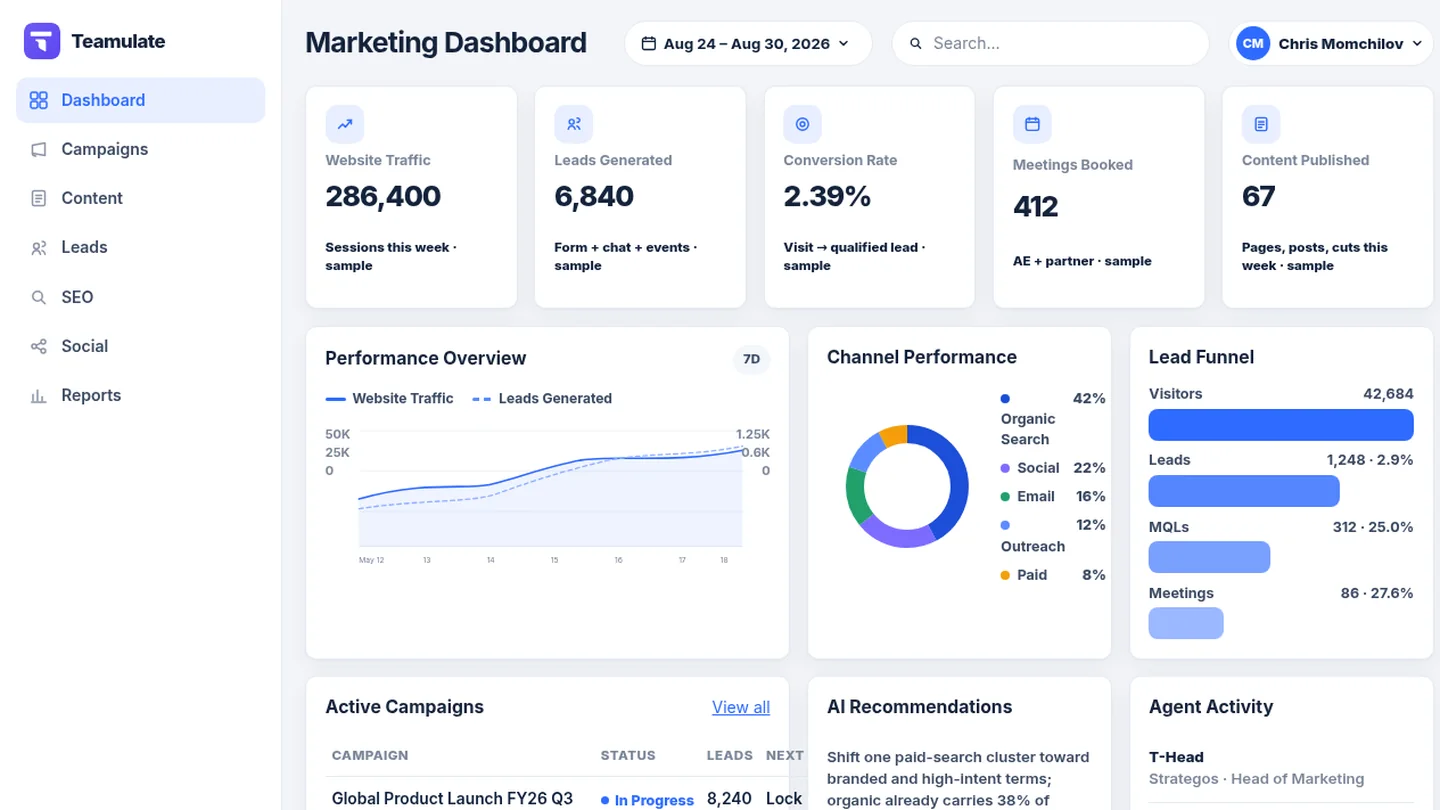
An operating dashboard, with a desktop app, that shows goals, work in progress, approvals waiting, QA results and data freshness in one place.
An independent QA seat checks our releases and returns pass, revise or block, separate from whoever built the work.
Dates are when the item went live on teamulate.ca.
Command Center changelog
The dashboard our agents and Chris run Teamulate from: cockpits, decisions, website, AI and social visibility. 14 updates since Oct 5, newest first.
A dedicated tab with follower growth lines, share donuts, side-by-side platform bars and the best posts with thumbnails, sortable by views, likes or clicks.
Net subscribers, views, watch hours, average view duration, a daily trend and 30-second retention per video. Metrics we cannot read yet are marked as not connected.
One row per platform with public reach, website sessions from each platform, a daily snapshot and an 'updated' time, plus YouTube Analytics for our own channel.
Every card must say the project, what it is about, the problem, concrete options with consequences, a recommendation and what happens next. Cards missing any of it are rejected.
Visits from AI assistants, AI crawler hits from server logs, and a daily robots.txt and llms.txt check. Empty means not connected, never a made-up number.
Questions left unanswered in chat come back as cards, so nothing gets lost. Added to the public build instructions as a required module.
A task with a hard deadline inside 24 hours and a recorded consequence moves to the top of the Cockpit.
A sessions-by-source donut in the website traffic card that follows the 7, 28 or 90 day range.
A light/dark switch in the menu and the phone tab bar. Light mode uses the Teamulate palette; the choice is remembered.
Decision cards ranked by impact first, then urgency, with direct action buttons, and a built-in chat with the agent on every page.
How often each AI engine mentions, recommends and cites Teamulate, with checks so a recommendation always counts as a mention.
Six KPI cards with change arrows and daily sparklines, a 7/28/90 day range and live status for Analytics, Search Console and AI sources.
Card-based cockpits per project and an installable iPhone web app (PWA).
One data store fed by read-only sources, a reconcile engine, a local web app and a Windows desktop app.
Dates are when each change shipped in our internal Command Center, which is not a public product page.
The contrast
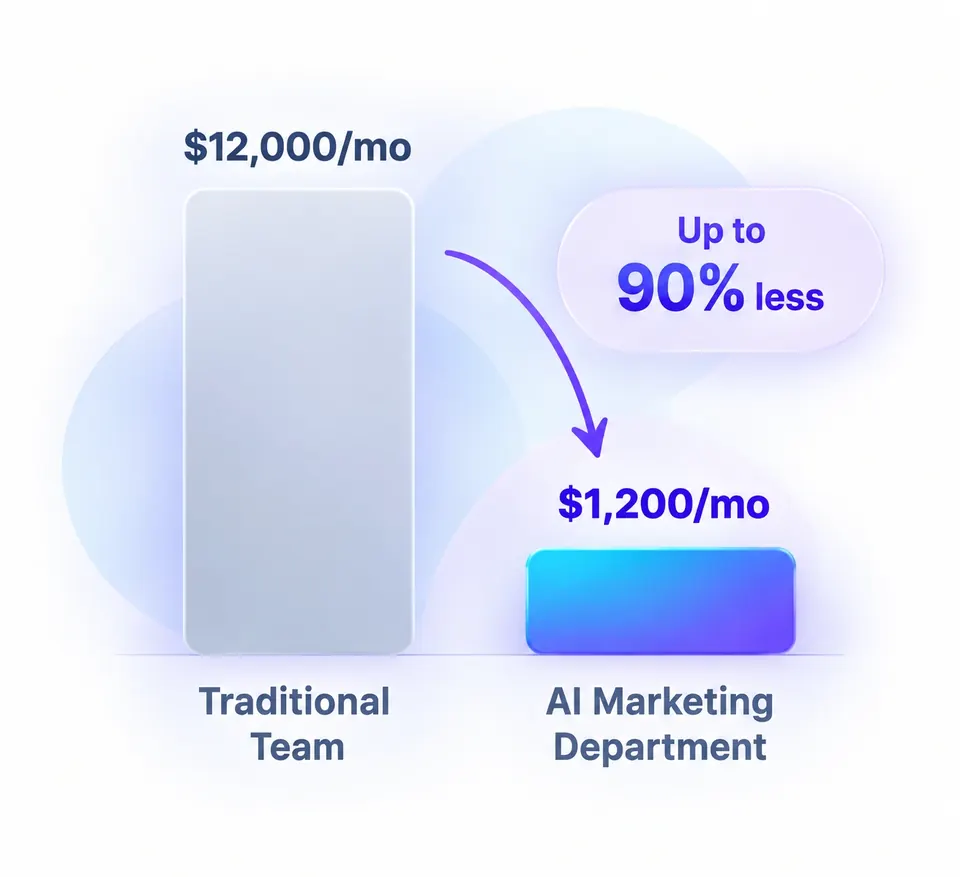
Up to 90%
Lower people-cost than building the department

11
AI specialists
Continuous
Monitoring and operating cadence - with approvals where they matter
60
Eligible library workflows (Entitlement Matrix v1.0)
P0-P4
Approval tiers with named human decision owners
12 years
Marketing experience behind the system
Cost comparison based on 2026 Robert Half national midpoints plus employer load for a 10-role North American marketing department, against Teamulate plan fees. Software and ads excluded from people-cost percentages. Modeled, not a guarantee. Read the full cost research.
Output
Ready-to-ship marketing assets that drive demand and accelerate growth.







Decorative examples of output shapes. Not live Teamulate metrics.
You pay a one-time setup and a monthly retainer.
Every plan includes the full 11-agent department, the dashboard, structured onboarding and human oversight. Martech, advertising, and premium third-party services are billed separately.
C$7,500
C$5,000/mo
C$12,500
C$7,500/mo
C$20,000
C$12,000/mo
Resources
No invented articles. Three honest doors - not a magazine of fake proof.
Guides
Blog
 Human review qualityWhere Human Review Changes AI Marketing Quality
 AI marketing rework costThe Hidden Cost of Fixing AI Marketing Work
 Marketing workflow AI readinessWhat Makes a Marketing Workflow Ready for AI?
 AI productivity evidenceDoes AI Actually Save Marketing Time?
FAQ
A structured nine-stage process: scope and authority, discovery, environment provisioning, integrations, measurement baseline, policy configuration, staging and QA, go-live, and a hypercare period. The initial setup period is 30 days, one month to stand up the operating department on your stack, with human approvals where they matter.
No, and by design. Routine, reversible work moves automatically inside approved guardrails. Strategy, material spend, sensitive claims and irreversible actions always require a named human decision owner.
No. Teamulate provides measurable operating capacity and full visibility into the work and its results. Outcomes depend on your market, offer and inputs, and we report them with attribution models and limitations stated.
No. Teamulate is configured around a defined, client-approved stack - your CRM, website, analytics, advertising, email and social tools. Exact integrations and permissions are confirmed during onboarding.
You do. Every client deployment is a separate environment: your marketing accounts, your subscriptions, your data and every asset produced stay yours. The GrokBot agent system that runs the department is included in your subscription and operated by Teamulate, with scoped, revocable access to your tools.
Yes. The P0-P4 approval matrix is configured per client: named approvers, budget thresholds, publishing rights, sensitive claim categories and expiring, action-specific approvals.
Nothing changes silently. The dashboard shows workflow and integration usage against your plan; when you approach a limit you can reprioritize or request a scope change. There are no surprise overage charges.
The next step is a focused review of your goals, current stack and the recurring work you want to move forward.